
Contents of this article
- A key assumption of technical analysis
- How to read stock price charts
- Area 1: Price data
- Area 2: Trading volume data
- Area 3: The indicator settings toolbar
- Area 4: Detailed information
- Area 5: The drawing toolbar
- The most popular (free) sources of price charts
- TradingView ( tradingview.com )
- Fireant ( Fireant.vn )
- Brokerage firms’ websites
- Technical Analysis Course – CMT Level 1

Before moving on to indicators and analysis techniques, we need to handle one very important first step: how do you read a stock price chart? And where is the best place to view price charts?
A key assumption of technical analysis
Why do traders need to learn how to read price charts? Unlike fundamental analysis, which judges whether a stock is overvalued or undervalued relative to its true intrinsic value, technical analysis rests on the assumption that “price discounts everything”. Technical analysts believe that fundamental information, crowd psychology and other factors can all affect prices, and that they are reflected in the prices traded in the market. Technical analysis involves assessing all the information shown on the price chart, whether it is insider or public information.

Technical analysis uses as its main inputs price (the open, close, high and low of each session) and trading volume, plotted on the same time axis. One advantage of technical analysis is that you can use it to analyse any type of asset, not just stocks, commodities or forex. It is like learning to drive: once you can drive and have a licence, you can get into any car, from a Mercedes to a Toyota or a VinFast.
This is completely different from fundamental analysis. For example, if you know how to read financial statements or value a business, you can only apply those skills to analysing stocks, not the forex or commodity markets. Technical analysis is different: you can apply simple moving averages, the RSI indicator or the MACD to any chart of any asset. Learning to read price charts is extremely important.
How to read stock price charts
Traders most commonly use five types of price chart in technical analysis:
- Japanese candlestick charts (Candlestick Chart).
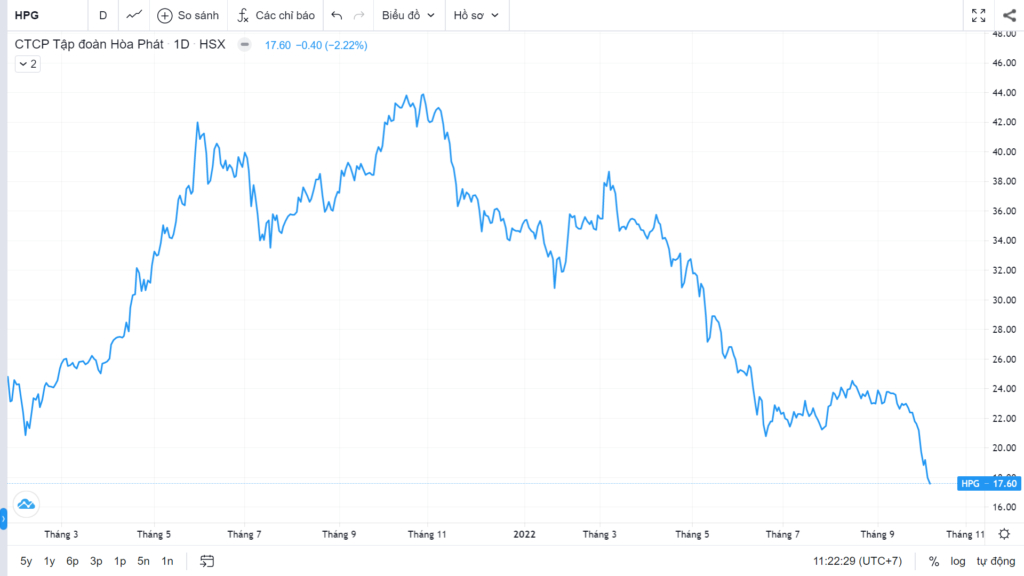
- Line charts (Line Chart).
- Bar charts (Bar Chart).
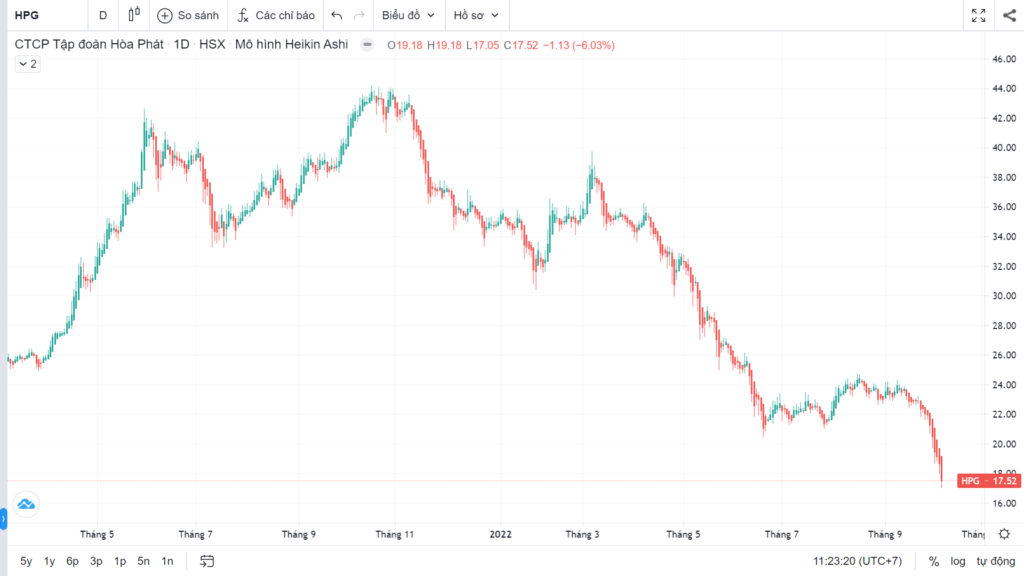
- Heikin Ashi candlestick charts.
- Point-and-figure charts (Point & Figure Chart).
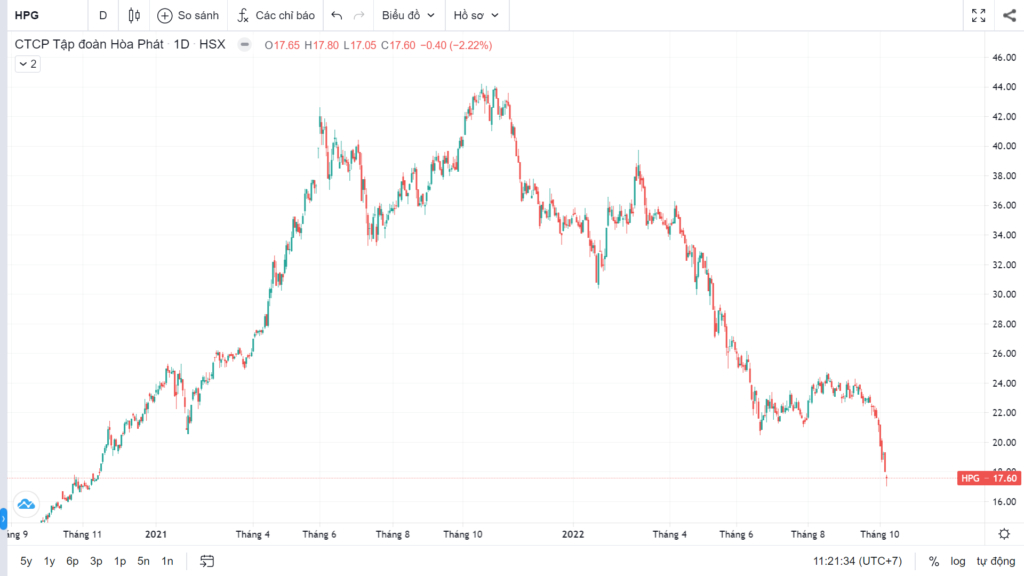
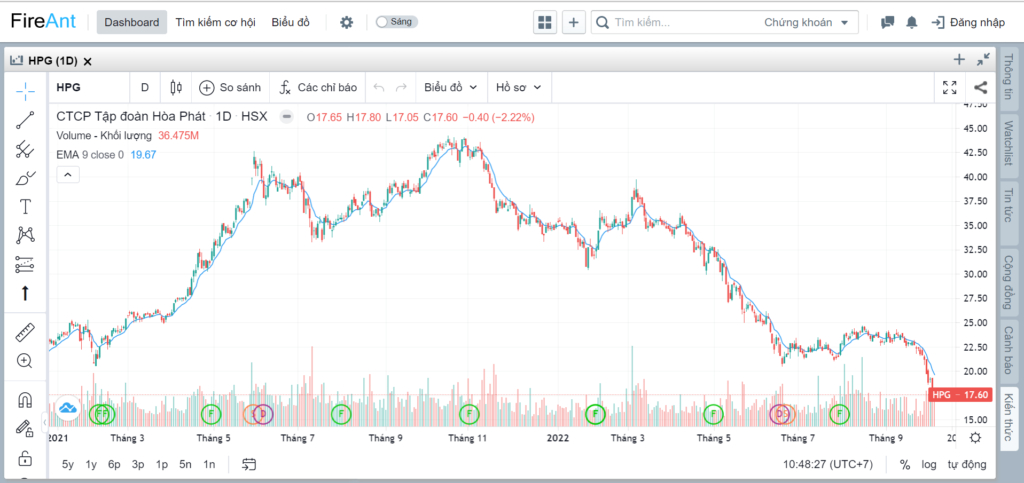
This article gives a general guide to reading stock price charts, based on popular charting data platforms (the example below is a price chart you can look up on fireant.vn), and we will look at each of the chart types above in later articles.
A price chart has five main areas:
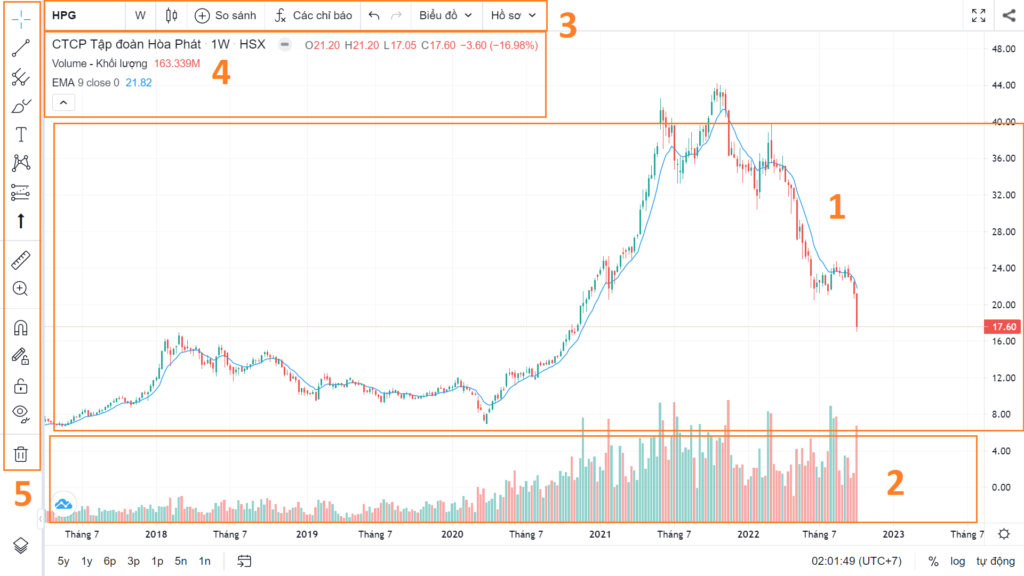
Area 1: Price data
The chart is built on two main axes:
- The vertical axis: price movements and technical indicators
- The horizontal axis: time.
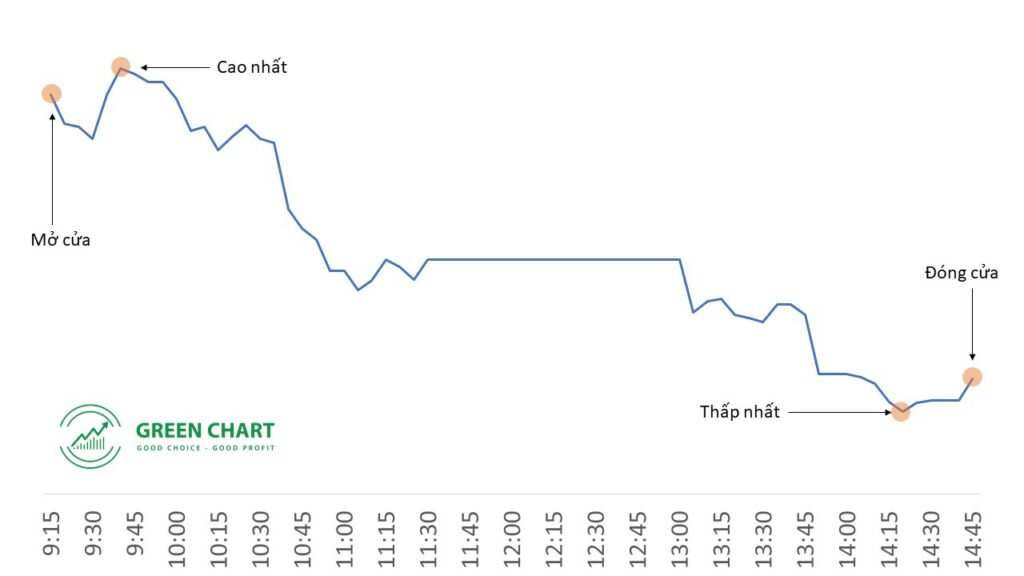
Price data has four main points to note: the open (Open), the close (Close), the high (High) and the low (Low). As technical analysis has developed, technical analysts have created many different chart types to display price movements over time. Depending on their knowledge and trading strategy, traders can choose the chart settings that suit them best – candlesticks, bars, lines and so on – to view price data on the chart.
In the Vietnamese stock market, trading runs from 9:00 a.m. to 2:45 p.m. (HOSE). The opening price is set in the ATO session from 9:00 to 9:15, and the closing price in the ATC session from 2:30 to 2:45 p.m. During the session, price moves up and down; the high is the highest level of the day’s session, and the low likewise. You can learn more about trading sessions in the Vietnamese market here.


Area 2: Trading volume data
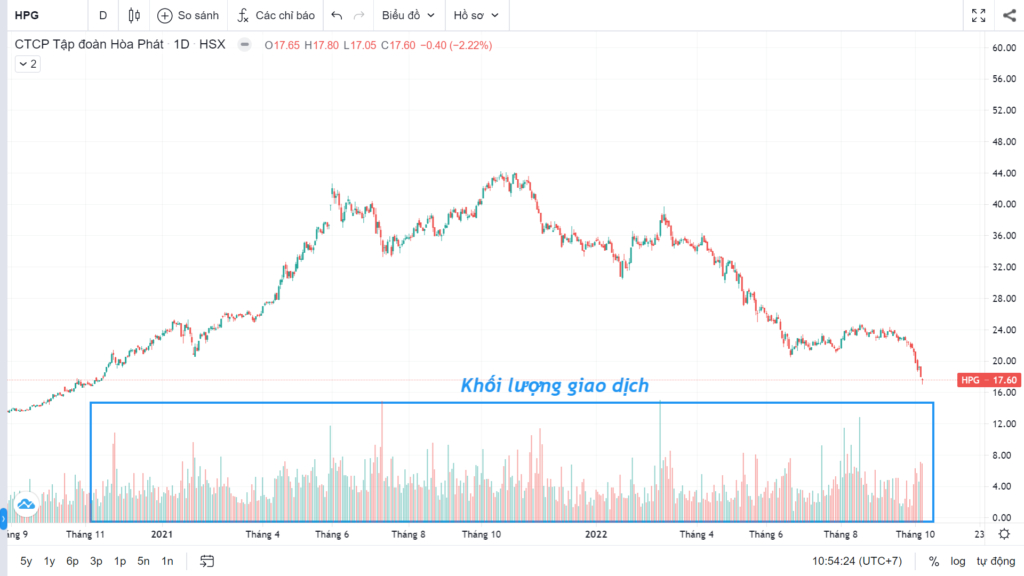
Trading volume is the number of shares traded over a period that depends on the chart setting: 1 hour, 4 hours, 1 day, 1 week, 1 month and so on. Each volume bar is usually green or red: green means the close was higher than the open; red means the close was lower than the open.
Area 3: The indicator settings toolbar
The indicator settings toolbar includes the following items:

Item 1: Enter the ticker of the stock you want to view

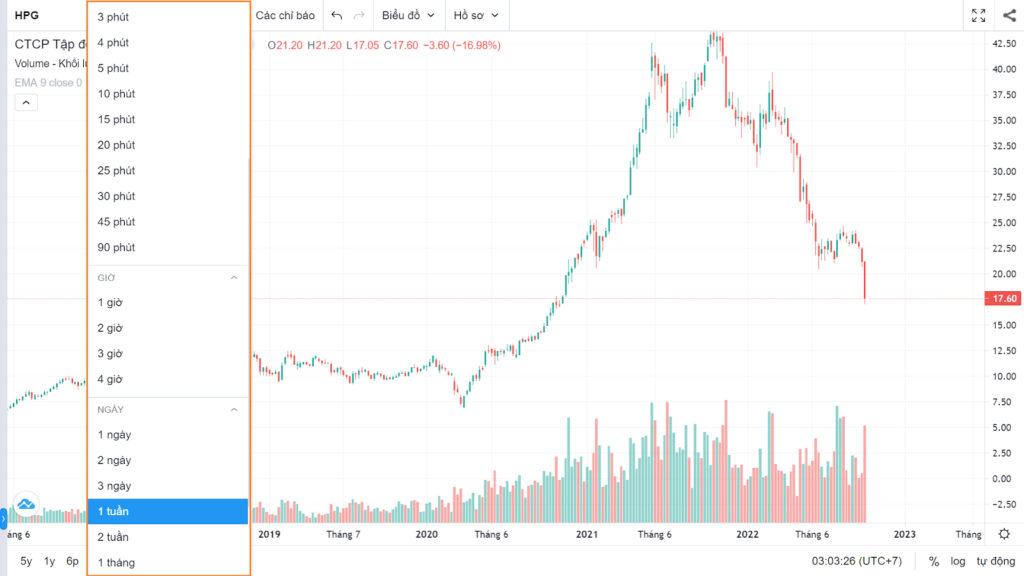
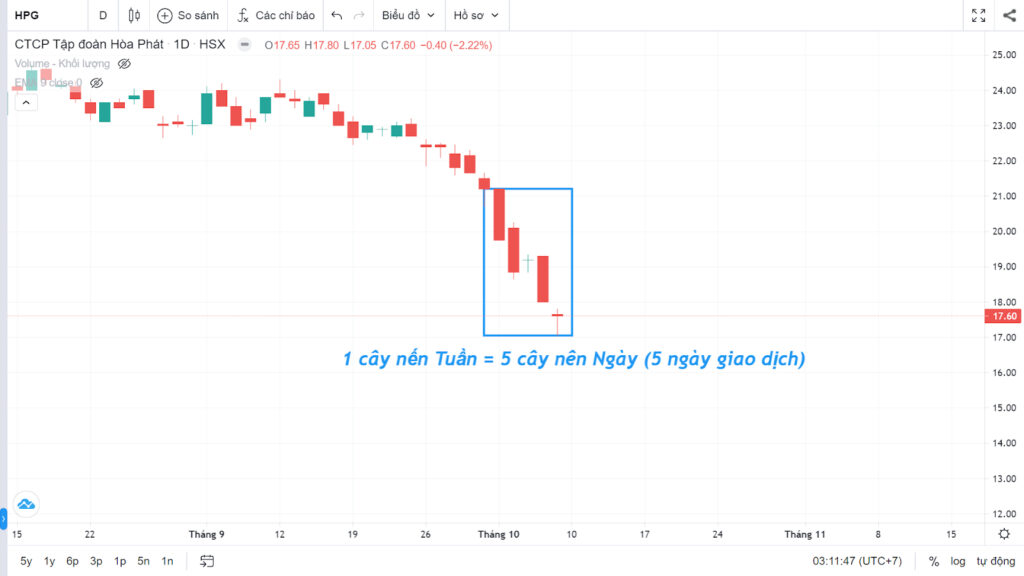
Item 2: Adjust the timeframe for the price data.
This lets us view price movements over a specific period. There are many timeframes, from short to long: 30 minutes, 1 hour, 4 hours, 1 day, 1 week, 1 month and so on. Traders choose the timeframe that suits their needs and purpose.

Item 3: Change the chart type
As mentioned above, there are many different technical chart types, such as Japanese candlesticks, lines or bars… Each trader chooses the settings that suit their own purpose.

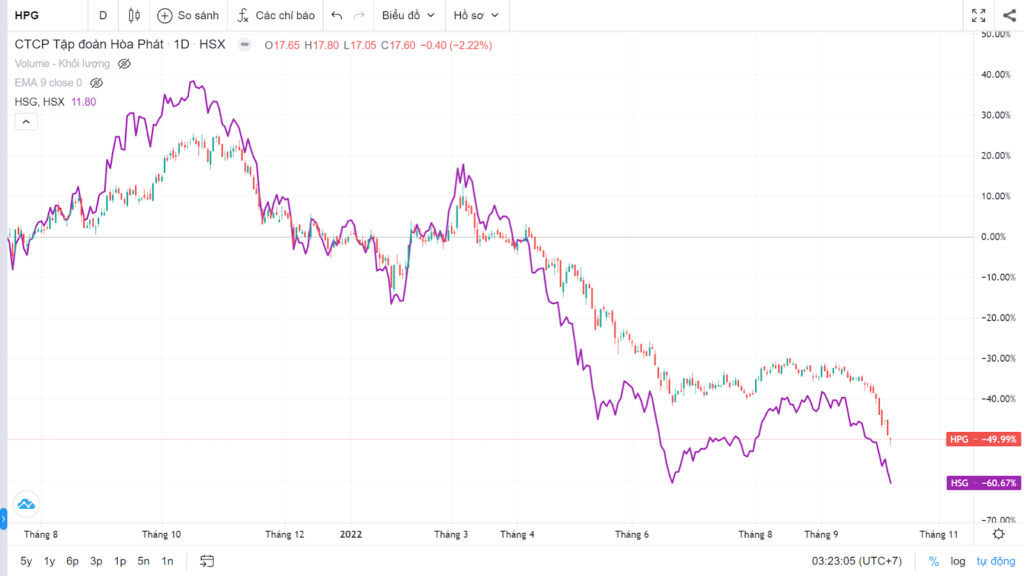
Item 4: This lets traders view and compare several stocks on the same chart
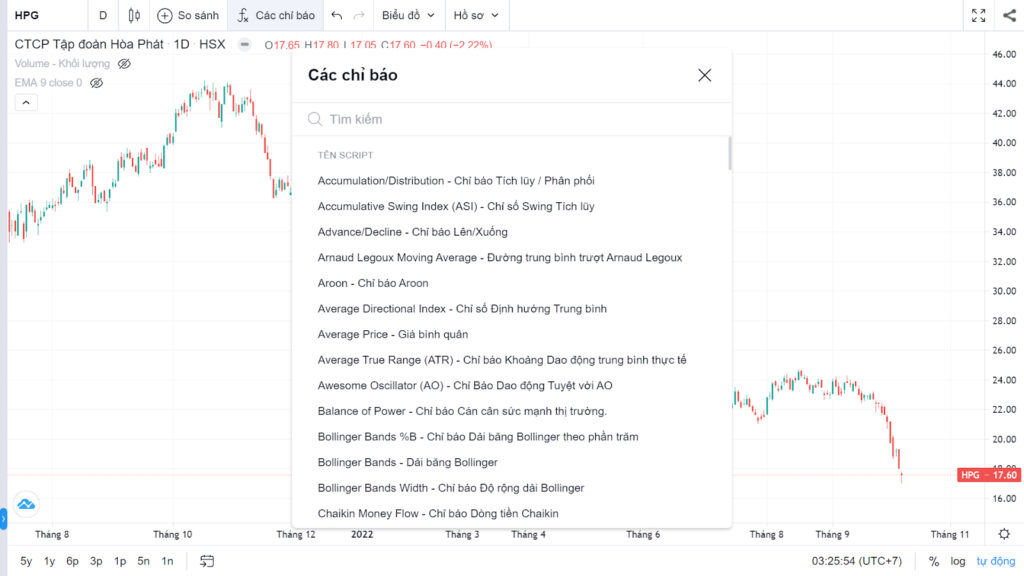
Item 5: Add technical indicators to the price chart
This item lets traders search for and add technical indicators such as RSI, MACD and moving averages (MA)… to the price chart.

Item 6: Undo previous actions, like the Undo/Redo you already know from Word or Excel
Area 4: Detailed information

In this area we can see more detailed data and information for each trading period (each candle) being viewed.
- O (Open): the opening price.
- H (High): the highest price.
- L (Low): the lowest price.
- C (Close): the closing price.
- -0.40: the closing price on trading day T fell by 0.40 (thousand VND) from day T – 1.
- -2.22%: the closing price on trading day T fell by 2.22% from day T – 1.
- Volume: the number of shares traded on day T.
(Units: M = million, K = thousand). - EMA: this area shows the technical indicators added to the chart (in the example above, the EMA indicator has been added).
Area 5: The drawing toolbar
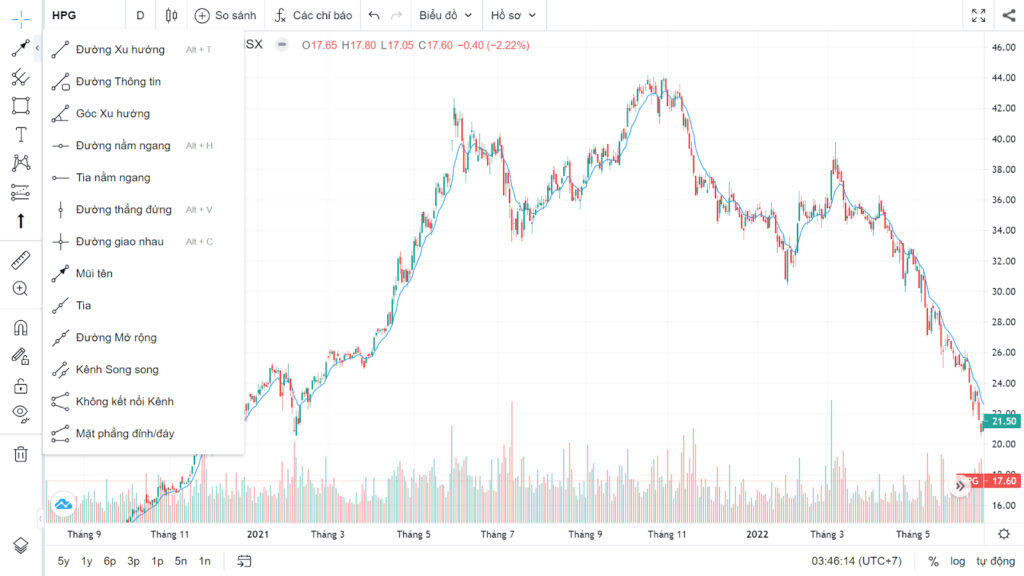
This area is extremely important for many traders, because it provides drawing, measuring and marking tools… that help traders analyse price charts more effectively.
For example: drawing trendlines, support and resistance, Fibonacci levels…

The most popular (free) sources of price charts
TradingView (tradingview.com)

This international website is arguably the most popular, offering price charts for every class of traded asset, including stocks. With diverse, up-to-date data, it lets you view charts of indices that other free websites lack, such as VNMIDCAP, VNSMALLCAP, VNFIN… The downside is that the free version only lets you use up to three technical indicators.
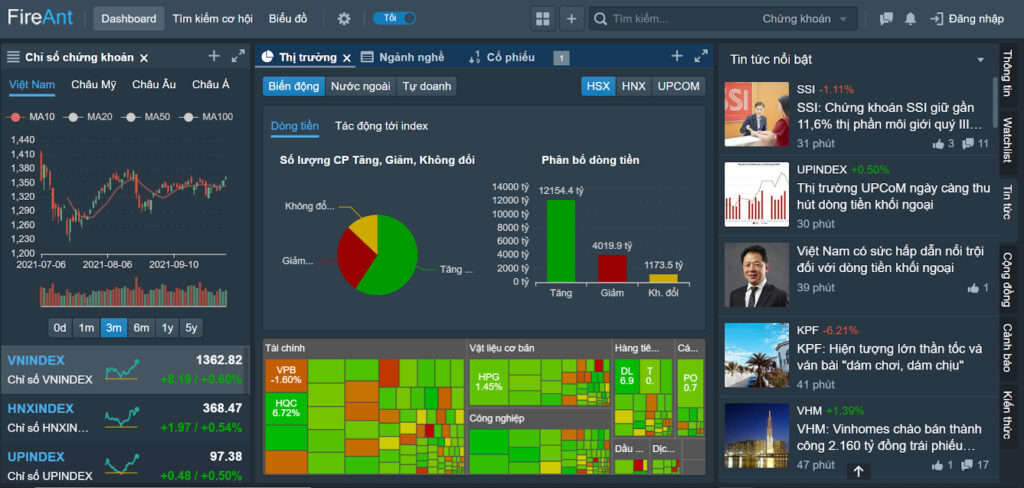
Fireant (Fireant.vn)
The advantage of this website is that it is very user-friendly and highly localised in Vietnamese, which makes it ideal for new investors learning to read stock price charts. It also does not limit the number of technical indicators the way TradingView does. In addition, FireAnt provides quite a lot of other notable technical information, such as trading by foreign investors and proprietary trading desks, and the gains and losses of each sector. The downside is that you cannot view derivatives price charts with the free version.
Brokerage firms’ websites
Besides dedicated websites, each brokerage firm, depending on how well developed it is, also provides price charts for its clients. For example, you can look up price charts for VN30 index futures on the website of MBS Securities.

Technical Analysis Course – CMT Level 1
Green Chart designed this course specifically for candidates in Vietnam who want to study and prepare for the CMT Level I exam. The programme includes 27 sessions of theory, practice questions and mock exams. Students also receive the course textbook, question bank and mock exams free of charge for their exam preparation, and can retake the course for free for life.
See more details about the course here.
Happy trading !